Windows vs. Linux
for Office agents.
Enterprise work runs through existing spreadsheets, presentations and business apps. Give your agent the environment that can finish the job: real Windows, real Excel and real PowerPoint.
Choose for the work your agent has to finish.
Linux sandboxes are a strong fit for code, data processing and file generation. Choose a Windows computer when the task depends on desktop Office, an existing model’s behavior, a Windows add-in or a workflow across several apps.
Your agent can keep running on Linux and control Panes through MCP or the API. Put the Office steps on Windows and keep the rest of your stack.
From a new file to a finished workflow.
| The work | Linux code sandbox | Panes Windows computer |
|---|---|---|
| Process data and generate files | Run Python, transform CSVs and write new XLSX or PPTX files with document libraries. | Run code and open the results in the actual desktop apps to calculate, inspect and save them. |
| Refresh an existing Excel model | A file library can edit workbook contents. It does not run desktop Excel or its Power Query engine. | Open the workbook in Excel, refresh its queries and PivotTables, recalculate formulas and check the saved results. |
| Use VBA, COM and Windows add-ins | Native Windows Office and its COM objects are outside the Linux runtime. | Use the installed Windows apps and their object models in the signed-in desktop session. |
| Carry the analysis into PowerPoint | Generate a presentation with a file library. Native PowerPoint behavior requires PowerPoint elsewhere. | Work across Excel and PowerPoint on the same computer. Update the deck, inspect its slides and deliver editable charts. |
Power Query and VBA need the right host.
Excel for the web also supports Power Query, with supported sources and capabilities varying by platform. It cannot create, run or edit VBA macros. Use Microsoft’s platform comparison to check the exact features your workbook needs.
See a finance close carried through.
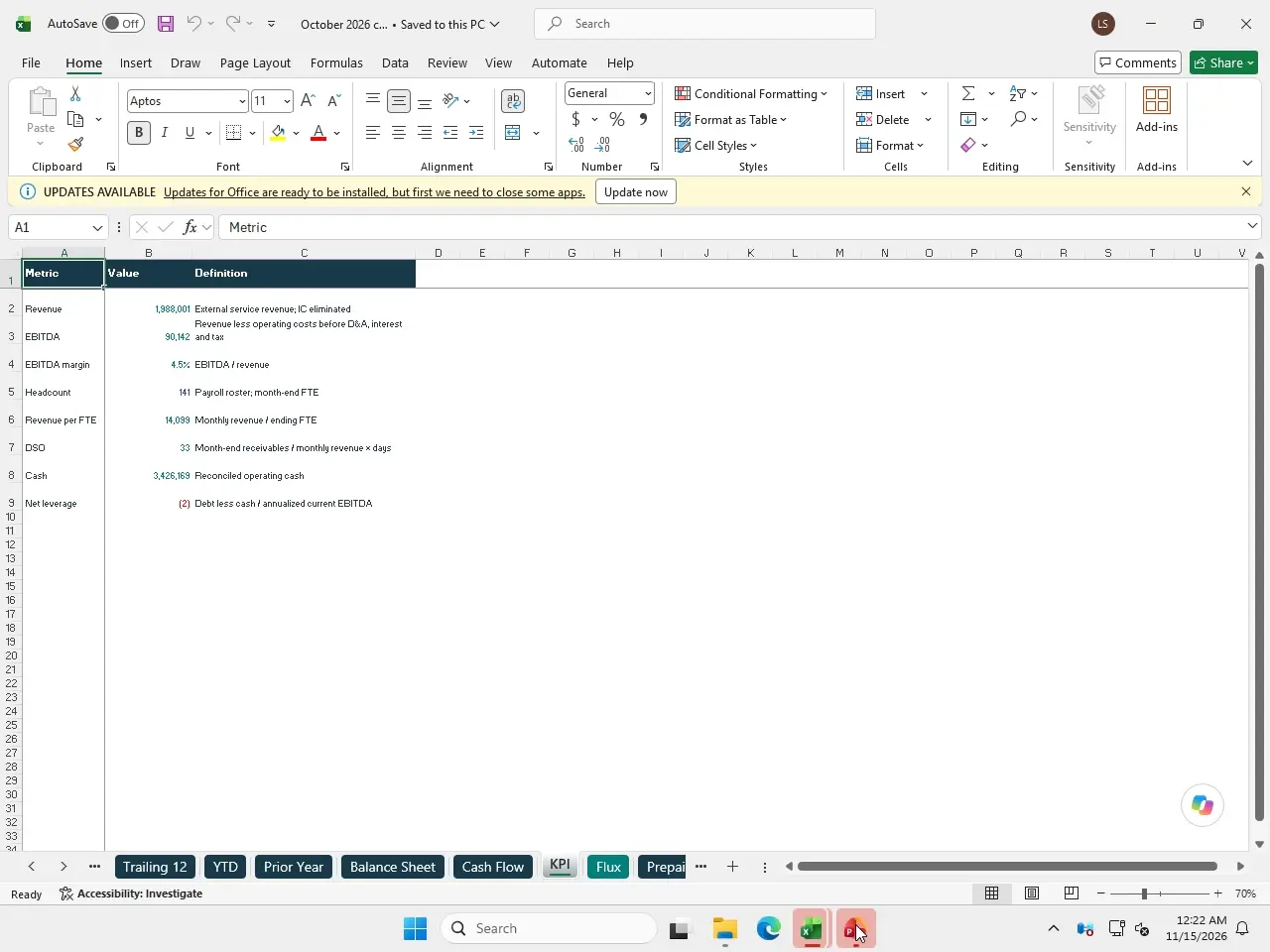
Our real Panes recording picks up an existing close workbook and management deck, rolls them into October, reconciles the statements and updates the presentation in Excel and PowerPoint. The sample company is fictional. The desktop apps and editable files are real.
Check the operating system, then the apps.
E2B documents Linux VMs. Daytona also offers Windows sandboxes. A Windows option is worth evaluating on the actual Office workload: installed apps, desktop access, setup, saved state and the files it hands back.
Panes supplies Windows computers with command execution, file transfer, screenshots, mouse and keyboard control, and a browser viewer for people to watch or take over. Connect through the Python or TypeScript SDK, HTTP API or MCP.
Provider and Microsoft documentation checked November 15, 2026.
Put the Office steps on Panes.
Choose the Office-installed windows-16gb template: 4 vCPU, 16 GB, $0.75 an hour while running. Sign in to Office on your own kept computer and connect your agent. Panes compute is prepaid.