Separate document identity from row equality
Our expense export contains DocID, PostingDate, CostCenter, Account, Amount and Vendor. It has three repeated document rows. The native query trims and types the fields, then removes duplicate DocIDs. That is valid for this fixture because the repeated rows agree. The independent validator checks the repeated payloads rather than assuming the duplicate identifiers are harmless.
Real exports can contain a correction, a partial update, a retry or an identifier that is only unique within a company. Decide the grain before deduplicating. If a document number can repeat across entities or years, the key must include those dimensions. Our test uses DocID because that is the public fixture’s stated grain; it is not a universal accounting key.
The Table.Distinct documentation explains that you cannot generally rely on which duplicate survives. Even a deterministic first-row policy would not tell you which of two conflicting financial amounts is correct. A conflict needs a review rule and source evidence.
Normalize only differences your policy treats as equivalent
The tested guard trims the identifier, parses the US-format posting date, trims the cost center and vendor, normalizes the account label’s case, and parses the amount as a Decimal. It compares the remaining business fields for every repeated key. Blank identifiers and invalid or non-finite amounts are rejected.
That means a padded identifier can agree with the unpadded identifier, and $39,494.00 can agree with 39494.000. A different amount does not agree. Those normalization rules reflect this CSV’s conventions. Do not silently reuse them for a source whose date locale, currency or identifier semantics differ.
Keep the untouched raw export alongside the normalized records. If a reviewer disputes the classification, the original bytes and source hash should still be available. A cleaning step should not erase the evidence needed to explain it.
Exercise the guard with deliberate failures
We ran six cases against the published source. The original 483-row CSV produces 480 unique documents and three identical duplicates. Appending one unchanged row adds a duplicate but does not change the unique count or October total. Appending the same identifier with $999,999.99 instead of its original amount is rejected.
A whitespace-padded identifier and an equivalent differently formatted amount are accepted after normalization. A blank identifier is rejected. Each fault is added in memory; the public CSV and real Office artifacts remain unchanged.
| Case | Result | Unique documents / October total |
|---|---|---|
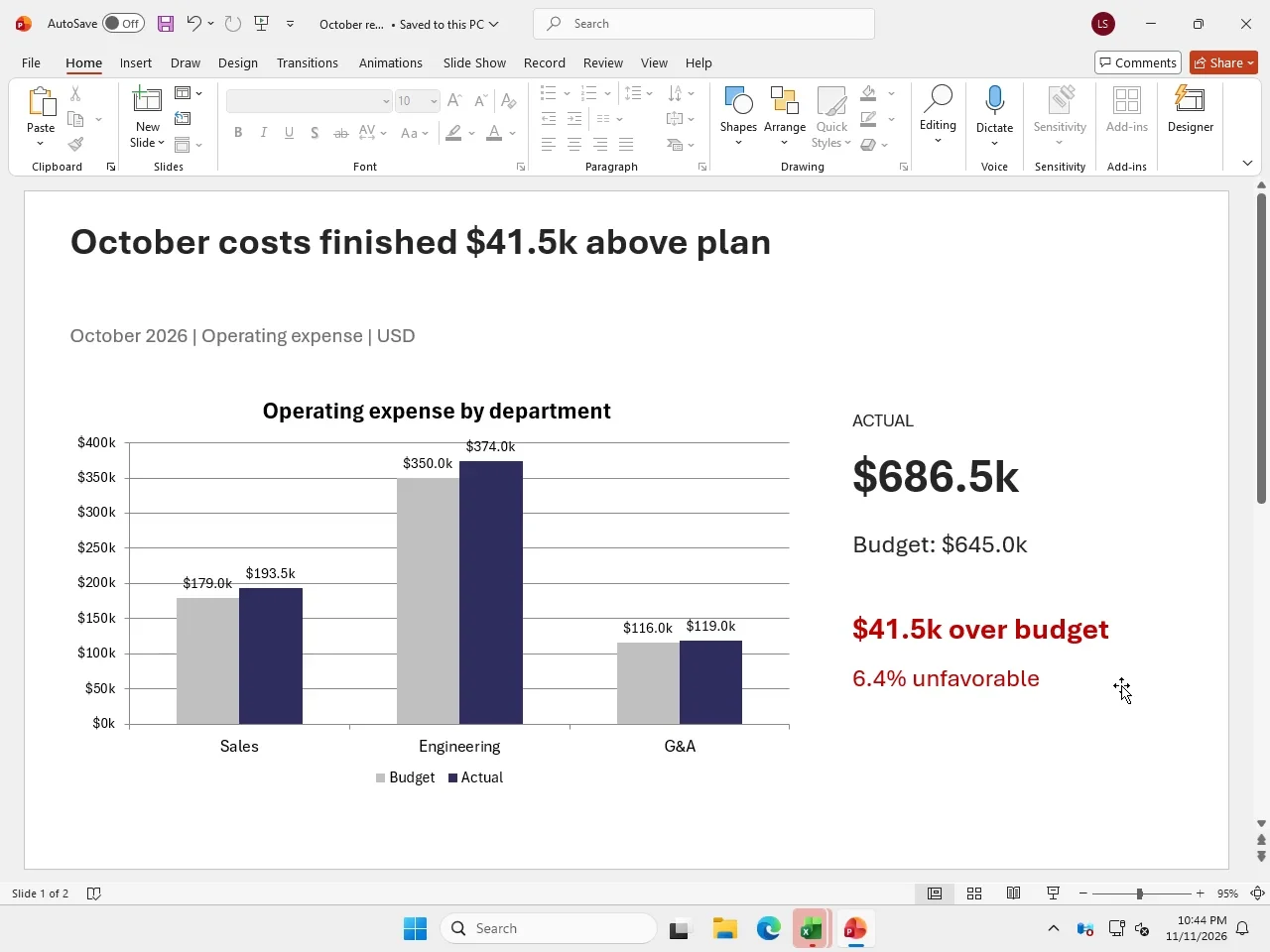
| Original source, 483 rows | Accepted | 480 / $686,500.00 |
| One additional identical row | Accepted | 480 / $686,500.00 |
| Same ID, different amount | Rejected | No report accepted |
| Whitespace around same ID | Accepted | 480 / $686,500.00 |
| Empty ID | Rejected | No report accepted |
| Equivalent numeric amount format | Accepted | 480 / $686,500.00 |
Put the preflight before the native refresh
A practical agent workflow is: preserve the source export, run the data guard, import accepted data, refresh Excel, reconcile the report and save the deliverable. If the guard finds a conflicting document, leave the existing close intact and return the conflicting rows for review. Do not guess which amount is authoritative.
The real Power Query stage creates the cleaned table in desktop Excel. The native deliverable has 480 cleaned documents, a PivotTable and editable charts. Our separate guard strengthens the source boundary; it does not claim to replace Excel’s query engine.
For your own pipeline, decide whether conflicts block the entire refresh or are quarantined under an approved policy. If you quarantine them, the report must show that some data was excluded. A silent “successful refresh” with missing documents is a misleading result.
Run the check before an agent writes the workbook
Download the guard, result report and original CSV. The script uses only the Python standard library. Running it reproduces the original case and the deliberate fault cases; it writes a report and leaves the source unchanged.
Use the tested guard function as a starting point, then add your source’s entity, currency and document-version rules. Keep tests for legitimate replays and real conflicts. A robust pipeline should be able to explain both why a duplicate was discarded and why a conflicting row stopped delivery.
When the accepted data is ready, use Panes for the native Office steps and retain the independent workbook checks at the end. Source validation and workbook validation catch different classes of error.
python duplicate_guard.py GL-export.csv --report duplicate-report.json