Start from a checked narrative
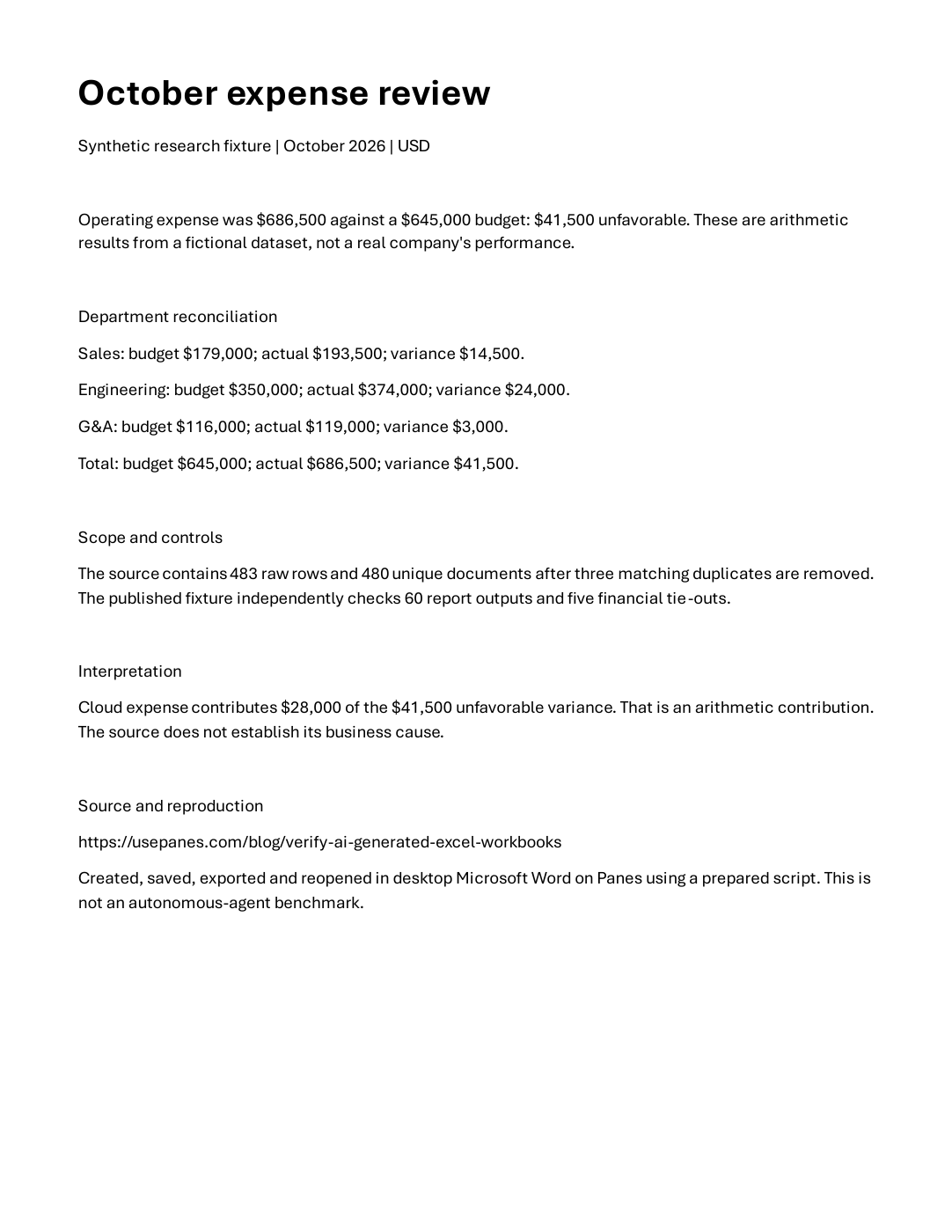
The source text states October operating expense of $686,500 against a $645,000 budget, a $41,500 unfavorable variance. It includes the three-department reconciliation, the fixture’s scope and a $28,000 cloud-expense contribution. It explicitly identifies the figures as fictional.
That text was prepared from the checked expense fixture before the Word execution. The script did not independently analyze the workbook or invent the narrative. In particular, it calls the cloud figure an arithmetic contribution and does not claim a business cause that the source cannot establish.
This boundary matters when evaluating an agent. The final run demonstrates native document creation, save, export and reopen from supplied text. It does not measure an autonomous assignment from raw financial files through reasoning and final approval.
Save the editable file and export the reading copy
The successful script creates a new task directory, uploads the adjacent public source text and runs Word in the signed-in desktop. It creates a document, inserts that text, sets its font and margins, saves expense-review.docx, exports expense-review.pdf and closes the first document.
It then reopens the saved DOCX read-only, counts one page and checks for the actual, budget, variance, cloud figure and fictional-dataset disclosure. Microsoft documents SaveAs2 for the native save and ExportAsFixedFormat for PDF or XPS export.
These checks establish the tested text and reopen behavior, not every property a production document may need. They do not assess a corporate template, tables of contents, tracked changes, accessibility tags or a large multi-page layout. Add checks for those requirements when they belong to the assignment.
Keep the unsuccessful attempts in the record
The first file-script attempt was interrupted when the research computer stopped while Word’s first-run Copilot introduction was open. After inspecting the state, a second file-script attempt timed out after 90.110 seconds. A simplified attempt did not complete its save stage. Setting the Word author property also raised a controller error.
Those outcomes remain in the downloadable result record. We did not accept a partial document as success. After a direct inline execution worked, the published Python implementation was run unchanged through its run(machine, directory) function to verify the procedure being shared.
If an execution becomes uncertain, inspect the task directory and Word window before retrying. The published script refuses an existing task directory at setup. That prevents a blind overwrite on a fresh invocation; it does not automatically recover every partial state. Recovery still requires inspection and a deliberate decision.
Use the exact source and inspect both deliverables
Download the Python script, adjacent source text, DOCX, PDF and complete result history. Keep the source text beside the script. With the Panes Python SDK configured and an available computer, run it with the machine identifier, a new --directory under C:\work and a local --report path.
The script uses native desktop execution through the SDK. Follow the Panes command documentation for that environment. It does not change Office activation, account settings or machine-wide security policy.
Review the exported PDF visually as well as reopening the DOCX. Our saved desktop capture and PDF rendering show this specific one-page result. For a larger assignment, validate page breaks, figures and required sections across the whole document before delivery.